Custom cases for video
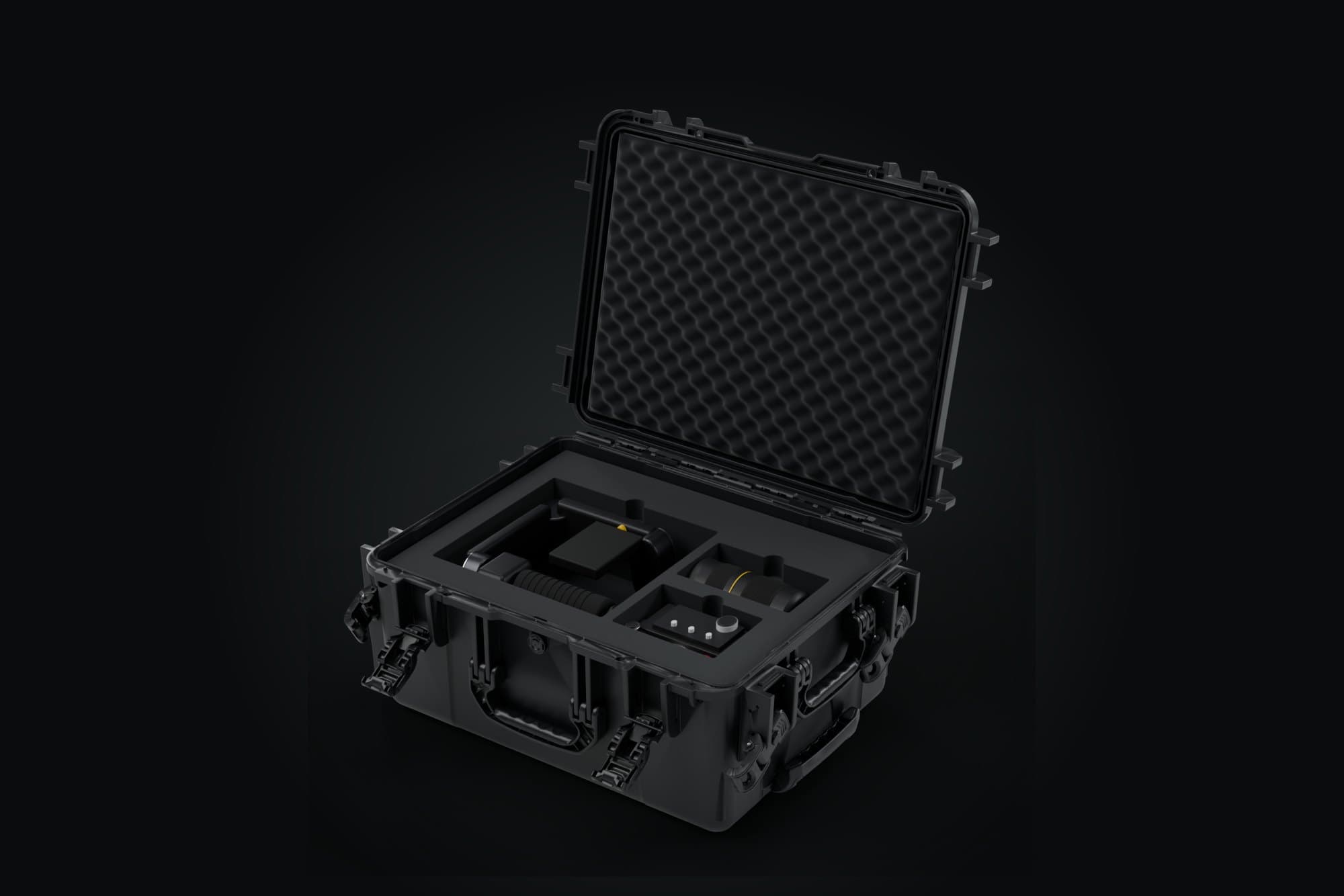
Cinema and mirrorless bodies, gimbals, monitors: foam with a pocket sized for each device, ready for the shoot.
Camera bodies (127)
- Blackmagic Cinema Camera 6K180 × 122 × 106 mmProbable dimensions
- Blackmagic Micro Studio Camera 4K G284 × 65.8 × 77.5 mmProbable dimensions
- Blackmagic Pocket Cinema Camera 4K177.8 × 96.5 × 96.4 mmProbable dimensions
- Blackmagic Pocket Cinema Camera 6K178 × 97 × 112 mmProbable dimensions
- Blackmagic Pocket Cinema Camera 6K G2180 × 123 × 124 mmProbable dimensions
- Blackmagic Pocket Cinema Camera 6K Pro180 × 123 × 124 mmProbable dimensions
- Blackmagic PYXIS 12K106 × 119 × 163 mmProbable dimensions
- Blackmagic PYXIS 6K106 × 119 × 163 mmProbable dimensions
- Blackmagic Studio Camera 4K Plus G2273 × 169 × 182 mmProbable dimensions
- Blackmagic URSA Mini Pro 12K OLPF150.4 × 146.8 × 238 mmProbable dimensions
- Canon EOS 5D Mark IV150.7 × 116.4 × 87.9 mmProbable dimensions
- Canon EOS 90D140.7 × 104.8 × 88.8 mmProbable dimensions
- Canon EOS C300 Mark III153 × 148 × 180 mmProbable dimensions
- Canon EOS C400142 × 135 × 147 mmProbable dimensions
- Canon EOS C500 Mark II153 × 148 × 180 mmProbable dimensions
- Canon EOS C70160 × 130 × 128 mmProbable dimensions
- Canon EOS C80160 × 138 × 128 mmProbable dimensions
- Canon EOS R135.8 × 98.3 × 96.4 mmProbable dimensions
- Canon EOS R1157.6 × 149.5 × 99.3 mmProbable dimensions
- Canon EOS R10122.5 × 87.8 × 95.4 mmProbable dimensions
- Canon EOS R100116.3 × 85.5 × 80.8 mmProbable dimensions
- Canon EOS R3150 × 142.6 × 99.2 mmProbable dimensions
- Canon EOS R5138.5 × 97.5 × 100 mmProbable dimensions
- Canon EOS R5 C142 × 101 × 123 mmProbable dimensions
- Canon EOS R50116.3 × 85.5 × 80.8 mmProbable dimensions
- Canon EOS R50 V119.3 × 73.7 × 57.2 mmProbable dimensions
- Canon EOS R6138.4 × 97.5 × 100.4 mmProbable dimensions
- Canon EOS R6 Mark II138.4 × 98.4 × 100.4 mmProbable dimensions
- Canon EOS R6 Mark III138.4 × 98.4 × 100.4 mmProbable dimensions
- Canon EOS R7132 × 90.4 × 103.7 mmProbable dimensions
- Canon EOS R8132.5 × 86.1 × 82 mmProbable dimensions
- Canon EOS RP132.5 × 85 × 82 mmProbable dimensions
- Fujifilm GFX100 II152.4 × 117.4 × 110.6 mmProbable dimensions
- Fujifilm GFX100S II150 × 104.2 × 99.2 mmProbable dimensions
- Fujifilm X-E4121.3 × 72.9 × 44.7 mmProbable dimensions
- Fujifilm X-E5124.9 × 72.9 × 51.1 mmProbable dimensions
- Fujifilm X-H2136.3 × 92.9 × 96.6 mmProbable dimensions
- Fujifilm X-H2S136.3 × 92.9 × 96.6 mmProbable dimensions
- Fujifilm X-M5111.9 × 66.6 × 50 mmProbable dimensions
- Fujifilm X-Pro3140.5 × 82.8 × 58.1 mmProbable dimensions
- Fujifilm X-S20127.7 × 85.1 × 77.4 mmProbable dimensions
- Fujifilm X-T30 II118.4 × 82.8 × 58.8 mmProbable dimensions
- Fujifilm X-T5129.5 × 91 × 75.8 mmProbable dimensions
- Fujifilm X-T50123.8 × 84 × 60.8 mmProbable dimensions
- Kinefinity MAVO mark2 LF106 × 124 × 119 mmProbable dimensions
- Nikon D780143.5 × 115.5 × 88 mmProbable dimensions
- Nikon D850146 × 124 × 90.5 mmProbable dimensions
- Nikon Z30128 × 73.5 × 71.5 mmProbable dimensions
- Nikon Z5134 × 100.5 × 81.5 mmProbable dimensions
- Nikon Z5 II134 × 100.5 × 84 mmProbable dimensions
- Nikon Z50126.5 × 93.5 × 72 mmProbable dimensions
- Nikon Z50 II127 × 96.8 × 78.5 mmProbable dimensions
- Nikon Z6 II134 × 100.5 × 81.5 mmProbable dimensions
- Nikon Z6 III138.5 × 101.5 × 86 mmProbable dimensions
- Nikon Z7 II134 × 100.5 × 81.5 mmProbable dimensions
- Nikon Z8144 × 118.5 × 95 mmProbable dimensions
- Nikon Z9149 × 149.5 × 102.5 mmProbable dimensions
- Nikon Zf144 × 103 × 61 mmProbable dimensions
- Nikon Zfc134.5 × 93.5 × 55.5 mmProbable dimensions
- Nikon ZR134 × 80.5 × 61 mmProbable dimensions
- Panasonic Lumix S5 II138.3 × 106.3 × 102.1 mmProbable dimensions
- Sony A1128.9 × 96.9 × 92.8 mmProbable dimensions
- Sony A1 II136.1 × 96.9 × 94.9 mmProbable dimensions
- Sony A6100120 × 66.9 × 71.4 mmProbable dimensions
- Sony A6400120 × 66.9 × 71.7 mmProbable dimensions
- Sony A6600120 × 66.9 × 81.3 mmProbable dimensions
- Sony A6700122 × 69 × 87.1 mmProbable dimensions
- Sony A7 III126.9 × 95.6 × 85.7 mmProbable dimensions
- Sony A7 IV131.3 × 96.4 × 91.8 mmProbable dimensions
- Sony A7 V130.3 × 96.4 × 94.4 mmProbable dimensions
- Sony A7C124 × 71.1 × 71.7 mmProbable dimensions
- Sony A7C II124 × 71.1 × 75.4 mmProbable dimensions
- Sony A7CR124 × 71.1 × 75.4 mmProbable dimensions
- Sony A7R IV128.9 × 96.4 × 89.5 mmProbable dimensions
- Sony A7S III128.9 × 96.9 × 92.8 mmProbable dimensions
- Sony A9 III136.1 × 96.9 × 94.9 mmProbable dimensions
- Sony FX2129.7 × 77.8 × 115.7 mmProbable dimensions
- Sony FX3129.7 × 77.8 × 96.5 mmProbable dimensions
- Sony FX30129.7 × 77.8 × 96.5 mmProbable dimensions
- Sony FX6114 × 116 × 165 mmProbable dimensions
- Sony FX9146.1 × 142.5 × 241.1 mmProbable dimensions
- Sony ZV-E1121 × 71.9 × 66.3 mmProbable dimensions
- Sony ZV-E10115.2 × 64.2 × 56.8 mmProbable dimensions
- Z CAM E2-M491.4 × 99.3 × 108.5 mmProbable dimensions
- DJI Osmo Pocket 342.2 × 33.5 × 139.7 mmTo confirm
- DJI Ronin 4D115 × 160 × 235 mmTo confirm
- Fujifilm GFX100RF133.5 × 90.4 × 76.5 mmTo confirm
- Sony A9 II128.9 × 96.4 × 89.5 mmTo confirm
- Z CAM E2C91.3 × 86 × 101.8 mmTo confirm
- Blackmagic Micro Cinema Camera82.6 × 65.3 × 77.6 mmTo confirm
- Canon EOS R5 Mark II138.5 × 101.2 × 105.5 mmTo confirm
- Fujifilm GFX50S II150 × 104.2 × 99.2 mmTo confirm
- Kinefinity MAVO Edge 6K106 × 124 × 121 mmTo confirm
- Leica M11139 × 80 × 50.5 mmTo confirm
- Leica SL3141.2 × 108 × 96.6 mmTo confirm
- Leica SL3-S141.2 × 108 × 94.7 mmTo confirm
- OM System OM-1 Mark II138.8 × 91.6 × 84.7 mmTo confirm
- OM System OM-3139.3 × 88.9 × 57.8 mmTo confirm
- OM System OM-5 II125.3 × 85.2 × 61.7 mmTo confirm
- Panasonic Lumix BGH197 × 97 × 90 mmTo confirm
- Panasonic Lumix BS1H97 × 97 × 90.8 mmTo confirm
- Panasonic Lumix G9 II138.3 × 106.3 × 102.1 mmTo confirm
- Panasonic Lumix GH5 II142.5 × 102.1 × 99.4 mmTo confirm
- Panasonic Lumix GH6142.4 × 104.3 × 111.6 mmTo confirm
- Panasonic Lumix GH7142.4 × 104.3 × 111.6 mmTo confirm
- Panasonic Lumix S1152.9 × 114 × 108.7 mmTo confirm
- Panasonic Lumix S1 II138.3 × 106.3 × 103.8 mmTo confirm
- Panasonic Lumix S1 IIE138.3 × 106.3 × 103.8 mmTo confirm
- Panasonic Lumix S1H155 × 118.2 × 122.4 mmTo confirm
- Panasonic Lumix S1R152.9 × 114 × 108.7 mmTo confirm
- Panasonic Lumix S5 IIX138.3 × 106.3 × 102.1 mmTo confirm
- Panasonic Lumix S9130 × 77.9 × 58.7 mmTo confirm
- RED Komodo 6K103 × 111 × 107 mmTo confirm
- RED Komodo-X 6K129.4 × 95.3 × 113.3 mmTo confirm
- RED V-Raptor [X]150 × 116 × 120 mmTo confirm
- RED V-Raptor 8K VV152 × 108 × 120 mmTo confirm
- RED V-Raptor XL216 × 165 × 167 mmTo confirm
- Sony Burano145.7 × 142.5 × 230.1 mmTo confirm
- Sony ZV-E10 II114.8 × 67.5 × 66.2 mmTo confirm
- Z CAM E2-F691.2 × 99.3 × 132.3 mmTo confirm
- Z CAM E2-F6 Mark II106.1 × 106.8 × 148.5 mmTo confirm
- Z CAM E2-F891.2 × 99.3 × 132.3 mmTo confirm
- Z CAM E2-M4 Mark II106.1 × 106.8 × 128 mmTo confirm
- Z CAM E2-S6 Mark II106.1 × 106.8 × 148.5 mmTo confirm
- Z CAM E2-S6G91.2 × 99.3 × 132.3 mmTo confirm
- Panasonic Lumix S1R II138 × 106 × 104 mmTo confirm
- Leica Q3130 × 80.3 × 92.6 mmTo confirm
Gimbals (4)
Monitors (1)
Batteries (1)
Choosing the right case
Set the body up in its storage position: bare, in a cage or with a handle, its footprint changes. From the catalogue dimensions and for the body alone, the calculation suggests for example the S for a Sony FX3, the M for a Z CAM E2C and the L for a Blackmagic Pocket Cinema Camera 6K Pro. These pointers do not replace checking the measurements of your own rigged camera.
For a gimbal, check the folded state and what the dimensions include. Add the camera, lenses, audio and accessories you actually carry: the size depends on the whole kit and how it is laid out. The configurator suggests a plan from these dimensions, to check before ordering.
Preparing a kit for a film crew
Production, camera crew, sound or rental: start from the shoot’s inventory, then spread the gear across suitable containers. This list helps you prepare and check the packing; it does not replace a physical check of the layout.
- Count every item. Note the references and quantities: two identical batteries or two receivers each need their own place. Separate the gear supplied by the rental house, the crew’s own, and what travels in another container.
- Set the transport state. Camera bare or with cage, handle, baseplate and lens; monitor with or without its mount; mic with or without shock mount and windshield. A bare device’s dimensions do not cover its mounted accessories.
- Add the usual forgotten items. Caps, hoods, filters, transmitters and receivers, cables, chargers and power: none of these is implicitly included in an example kit.
- Check every plan. Measure the state actually transported, check the pockets and access to each item. If the kit doesn’t fit an available size, rethink the split; a large control desk or a rack may need another kind of container.
- Check on departure and return. Compare the gear present with your reference inventory, note missing items and accessory changes before reusing the same layout for the next shoot.
Preparing the lensesPreparing the sound gearMeasuring rigged assembliesBuild from my inventory
Questions about video cases
Which case for a gimbal and a camera?
Build the full list in the configurator: the camera model, the gimbal and the accessories change the space needed. For the battery grip, check whether it is included in the stored state on the product page; if you store it separately, add a custom item with its dimensions. How you store it is yours to confirm on your kit.
Is the body stored with the lens mounted?
In the suggested plan, the body and lenses have separate pockets. If you want to store them assembled, measure the whole thing and add it as a custom item. Either way, include the caps and accessories that stay mounted.
Is there room for my NP-F or V-mount batteries?
Add their references or measurements to the configurator to check the space in the plan. For a flight, check the energy and quantity limits and the airline’s conditions. Permitted spare lithium-ion batteries travel in the cabin, each with its contacts protected.
What about my monitor or SDI cables?
The monitor lies flat, screen facing the foam. Cables go in a pouch or a free compartment: the configurator suggests one wherever there is room left.
Prepare your flight with the guide to drones and batteries on planes, its sources and the points to confirm with the airline.